
schoolHelpdesk is where district support work gets done. One shared thread for every request, clear ownership across departments, and status everyone can see without asking.
Book a demo
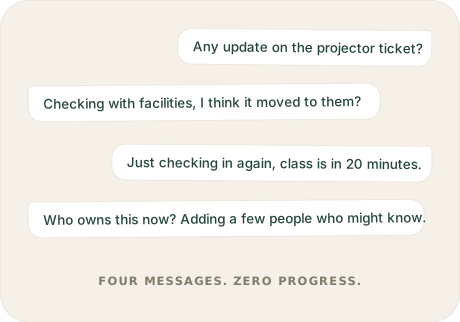
Creating a request is the easy part. The hard part is everything after: updates buried in inboxes, ownership that changes without notice, and requesters left guessing whether anyone is working on their issue. Teams end up spending as much time answering "any update?" as they do resolving the actual problem.
The fix isn't more follow-ups. It's one place where everyone can already see the answer.
Wonder how much time your team currently spends on the work surrounding support? Calculate your Hidden Work →

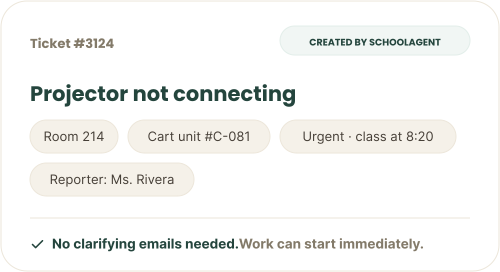
Requests reach your team with the who, where, and how-urgent already attached. Whether they come through schoolAgent or straight into the helpdesk, your team starts on the work, not on gathering missing information.
Ticketing isn't just for IT. Facilities, HR, and finance each get their own ticket types and forms with custom fields, all in one common space. And when work moves between teams, the full history moves with it: every message, every detail, every decision. Ownership is always explicit, so nothing sits in limbo between departments.
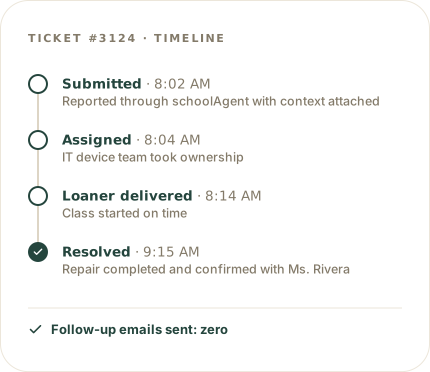
Requesters, resolvers, and leaders all see the same live status, so nobody has to ask and nobody has to answer. Every step is logged as it happens, and every resolved request adds to the operational picture your district builds over time.
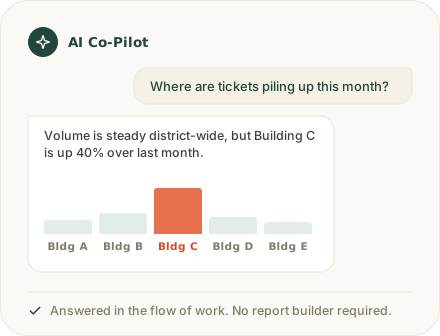
Stop building reports and going hunting for answers. Ask the built-in AI Co-Pilot in plain language and get the answer right in your workflow. You can also ask it to build live dashboards that update on their own, like one that flags devices that haven't synced in weeks, so problems surface before anyone files a ticket.
One search works across everything: tickets, devices, conversations, and people.
Some requests take several steps to resolve, handled by different people in a set order. Think onboarding a new hire: create accounts, assign a laptop, approve a license, schedule orientation. In most helpdesks, that becomes separate tickets nobody can track. In schoolHelpdesk, it's a checklist inside the one ticket, and each step can be assigned, tracked, and completed in order. When a step needs sign-off, you add an approval step. It's included, not an add-on you pay extra for.
One system of record for support, with the capabilities your team relies on built in from day one.

Teacher, parent, student, and staff all in the same thread with live status.

Requests reach the right team automatically, with context attached.

Ask the AI Co-Pilot for answers, reports, and live dashboards, or build your own.

Multi-step work stays in one ticket as ordered, assignable steps.

Sign-off steps are a native task type, included at no extra cost.

IT, facilities, HR, and finance each define their own ticket types and forms.

One search across tickets, devices, conversations, and people.

Tickets link to the devices they're about through schoolOS asset management.
schoolHelpdesk works alongside schoolAgent and schoolAutomate. Requests come in through one front door, get coordinated in one place, and routine work runs itself.

See how your district can resolve issues faster, keep everyone informed, and spend less time coordinating support work by hand.

Operational intelligence for K‑12. One front door, one connected picture, so your team spends less time coordinating and more time understanding.
.png)