
Describe a workflow in plain language and agentic AI builds it and runs it across the tools your district already owns. Nobody coordinates, nobody retypes data, nobody chases a ticket.
Become a design partnerMost of what lands in a district queue isn't a mystery. The steps are known and the outcome is the same every time. Yet a person still reads the request, retypes the data into three tools, and closes the ticket. Nobody decided anything.
The fix isn't a faster queue. It's work that runs itself the moment the trigger fires.
Those few minutes of manual work add up.
See how much capacity Hidden Work could be consuming across your IT team →schoolAutomate connects the systems your district already runs and automates workflows across them. No code, nothing ripped out. Your directory groups, SIS, Google, web filter, and device management keep doing their jobs. schoolAutomate does the work that used to happen between them.
Full automation where you want it. A parent submits an address change. The workflow verifies it, updates the SIS, and confirms with the family.
When a request needs approval, the workflow waits. The moment approval lands, it fires. A teacher asks to whitelist a site for one lesson. You approve. The filter policy changes for her classes, then restores itself three hours later. No cleanup, no follow-up ticket.
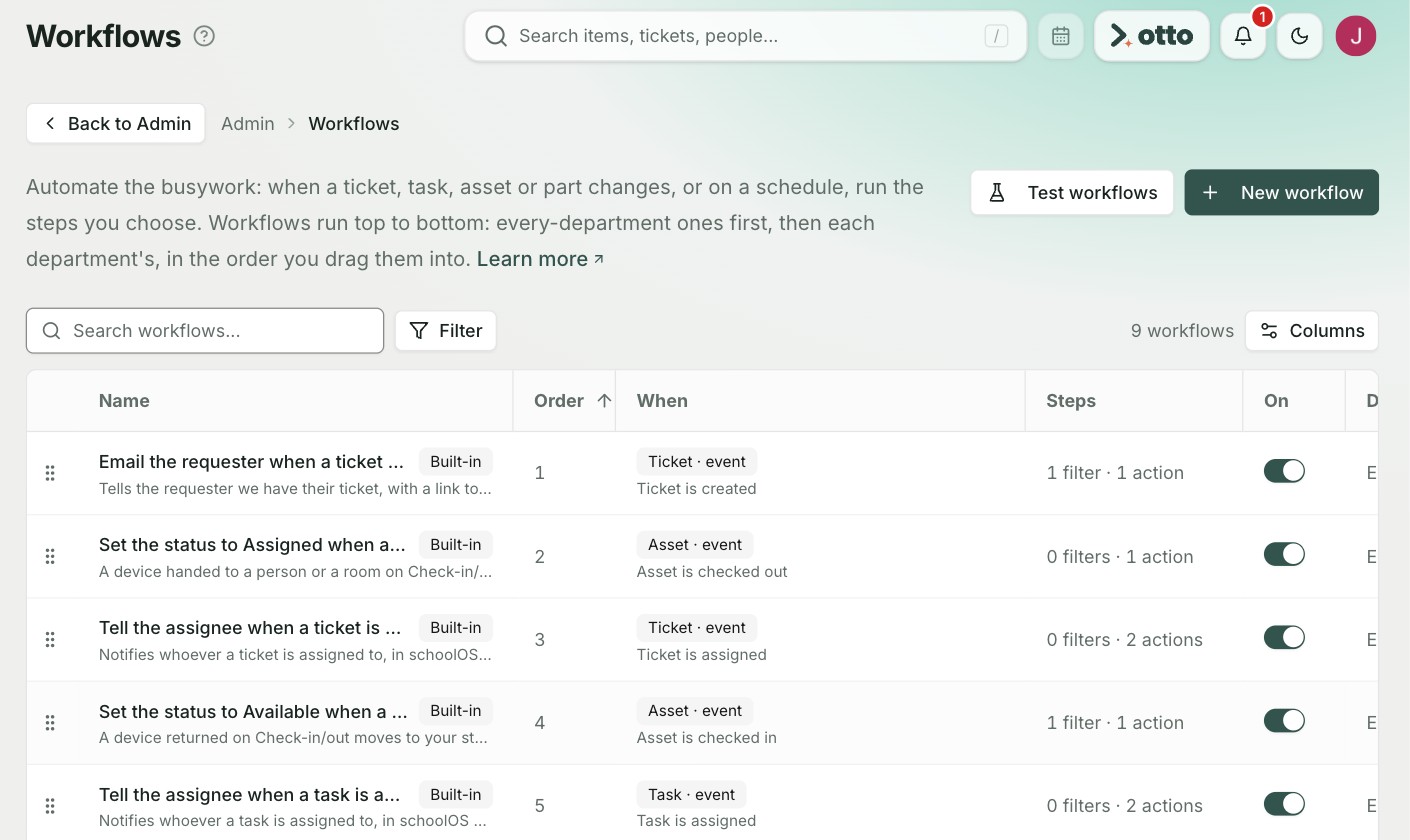
Every workflow lives in one registry. An owner, permissions, and a full audit trail, so you always know what runs where.
Define onboarding once and it runs the same at every campus. Same steps, same access rules, same records. When the process changes, you change the workflow and every school is current the same day.
Consistency without policing.
Orchestrate over the tools you own today, or consolidate onto the schoolOS IT stack. schoolAutomate does the work in both.
schoolAgent answers at the front door. schoolAutomate runs workflows across your existing systems. You start deleting tickets on day one.
Replace the point tools with the schoolOS IT stack. schoolAgent and schoolAutomate are built in, and automations now run against one system of record. They do more.
One front door. schoolAgent answers common questions, routes work that needs a human, and triggers schoolAutomate when a request matches a workflow.
Answer shrinks the queue. Route speeds the queue. Automate deletes the queue.
schoolAutomate holds credentials to your most sensitive systems. We built for that responsibility.
Read the security overview →Each connection gets only the access its workflows need. Revoke it anytime.
Every action is logged and exportable, so you can always see what touched what.
schoolAutomate
Bring one workflow your team still runs by hand. Leave with it running.

.png)