
Device refresh planning, Chromebook counts by school, repair fees, help desk workflows, and outages. See how district IT teams handle each one in schoolOS, in about a minute.
Book a demoEvery year IT has to answer what to replace next year and what it will cost. Ask otto, then open the answer as a report you can save, export, and bring to the budget meeting.
“...how many do we need to buy plus 5% extra stock on top?”
Getting one number usually means running a report and building a pivot table. Ask otto in plain words, get the count by school, then drill into one school.
“...pulling 14 levers and turning dials and pushing buttons just to get the number.”
A technician logs the parts, the school sets the fee, and someone types it into the student system by hand. otto shows what broke, what it cost, and who still owes, so you follow up now, not at the end of the year.
See how schoolHelpdesk worksOne repair touches the help desk, the device, the student, and the school. Click Automate, describe it in plain words, and review the draft. Nothing runs until you save it.
“...you're compromising your process, then, to fit the tool.”
Add the apps your schools rely on from the library, and their status comes straight from each vendor. Post your own, like Wi-Fi at one school. Tickets about it join one outage, so everyone affected hears each update and the fix. Staff and families check one page.
See how schoolHelpdesk worksAsk otto which devices are past their useful life and what it will cost to replace them. otto gives the count, the cost, and the devices it left out, so you know what the number covers. Open the answer as a report and export it for the budget meeting.
Ask otto in plain words, like “How many Chromebooks do we have at each school?” otto answers with the count by school from your schoolAssets inventory. Ask a follow up to see the devices at one school. No report or pivot table needed.
Ask otto for this year's device repairs by school. It shows repair cost, fees charged, and fees still unpaid, then which students still owe and how much. Open the fines and follow up now, not at the end of the year.
Yes. Click Automate in otto and describe what should happen in plain words. otto drafts the workflow with its trigger and steps. The draft opens turned off, so nothing runs until you review it and save.
Use the schoolOS status page. Add the apps your schools rely on, and their status comes from each vendor's status feed. Post your own outage, like Wi-Fi at one school, with one district message. Techs see a banner in schoolOS, tickets about it join one outage so requesters hear each update, and anyone can check one page or subscribe by email.
Every video on this page runs in the same schoolOS account your team already uses for assets and tickets.

schoolOS · District IT
Pick the job that eats the most of your week. We'll walk through it with your data.
Book a demo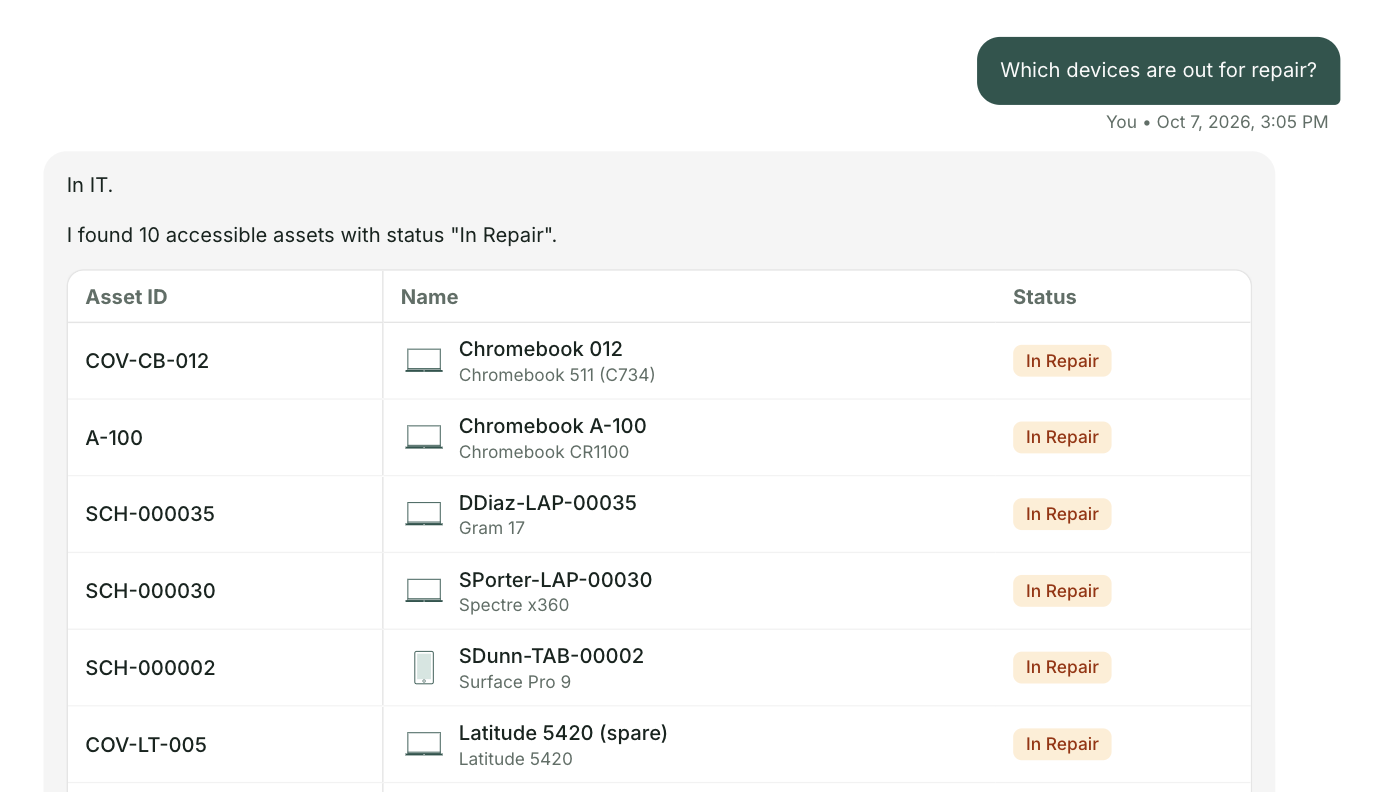

.png)