Otto
AI Co-Pilot

Your AI Co-Pilot for District IT

otto is schoolOS' in-app AI Co-Pilot. See where every device and ticket stands, get the number you need, and put work in motion.

Book a demo
Audit my devices
Triage my tickets
Automate my workflows
Submit
Devices in repairUrgent ticketsReplacement cost
otto answering which devices are out for repair with a list of ten devices otto listing five open urgent tickets beside the ticket dashboard otto answering what it will cost to replace devices past their useful life
Ask
Which devices are out for repair? Show me open urgent tickets What will it cost to replace our aging devices? Show ticket priorities by team How many Chromebooks do we have? Which devices are loaners? Show me overdue tasks
The problem

Your System of Record Has the Data. Getting It Out Takes All Afternoon.

The data sits in an asset list, a ticket queue, and a few spreadsheets. So a simple request from your superintendent turns into an export, a pivot table, and a lost afternoon. otto pulls it on the spot.
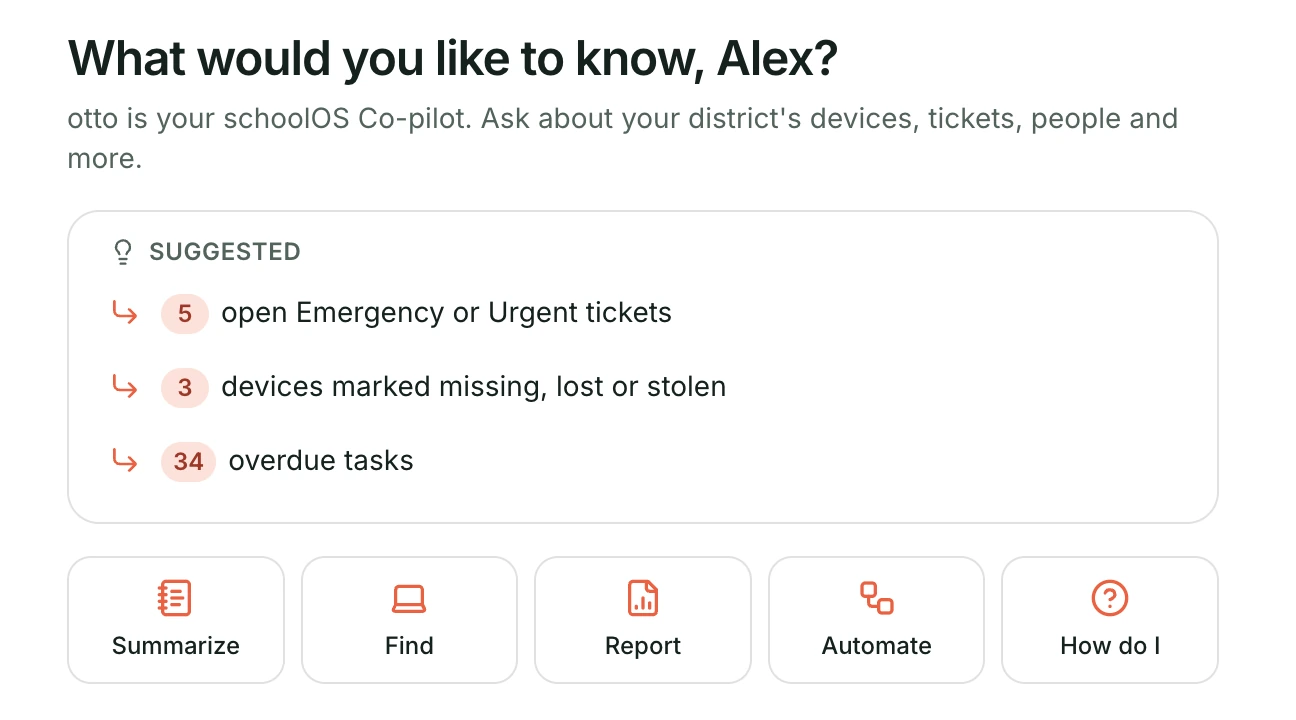

Otto start screen with suggested questions about urgent tickets, missing devices, and overdue tasks
Diagram of district support requests from multiple channels converging on schoolOS as one front door
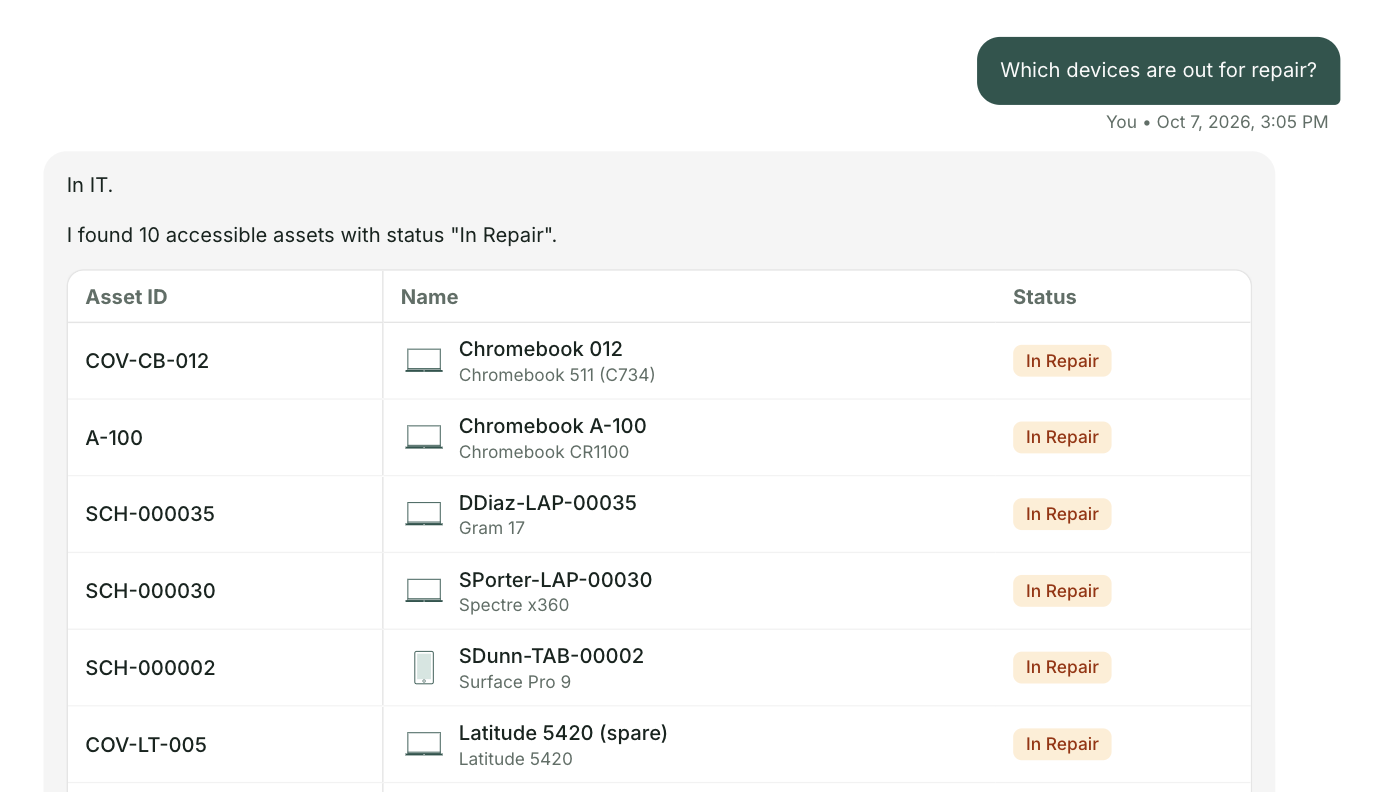
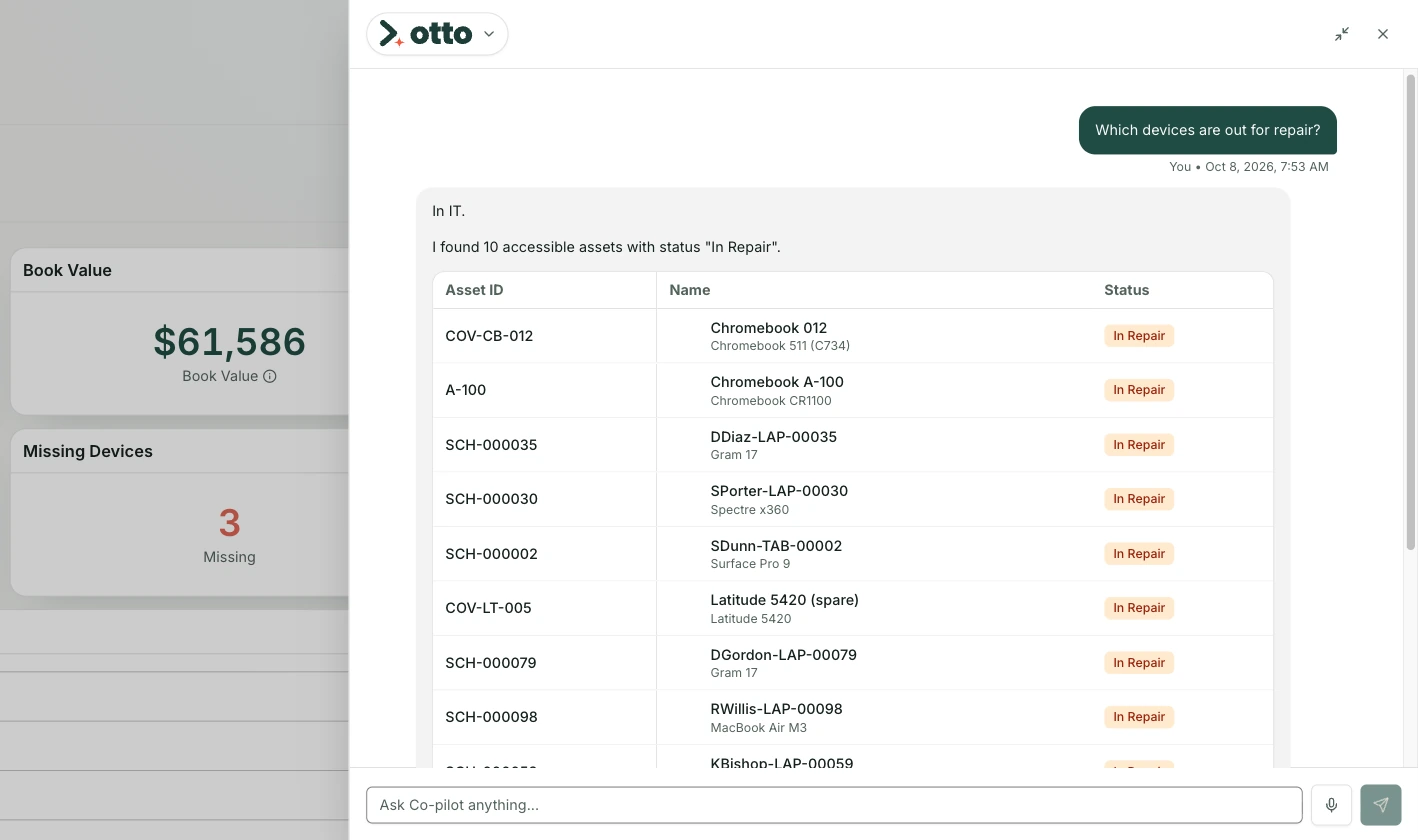
Otto answering which devices are out for repair with a list of ten devices and their status
Assets

Know Where Every Device Stands

Type what you need, like the devices out for repair. otto lists every one, straight from your schoolAssets inventory.

Helpdesk

See What Needs Attention First

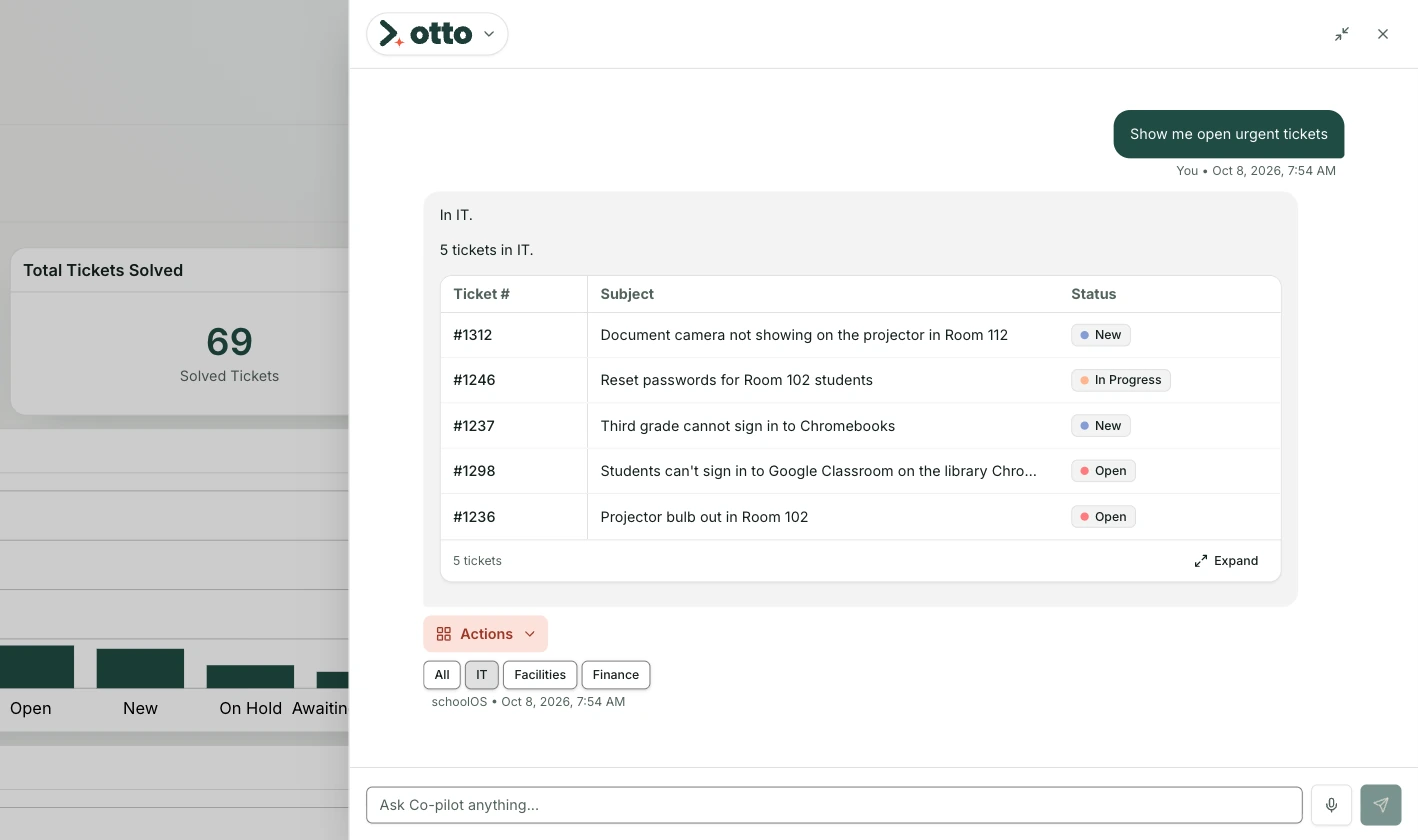
Pull up your open urgent tickets. otto lists each one with its subject and status, so you see what is waiting first.
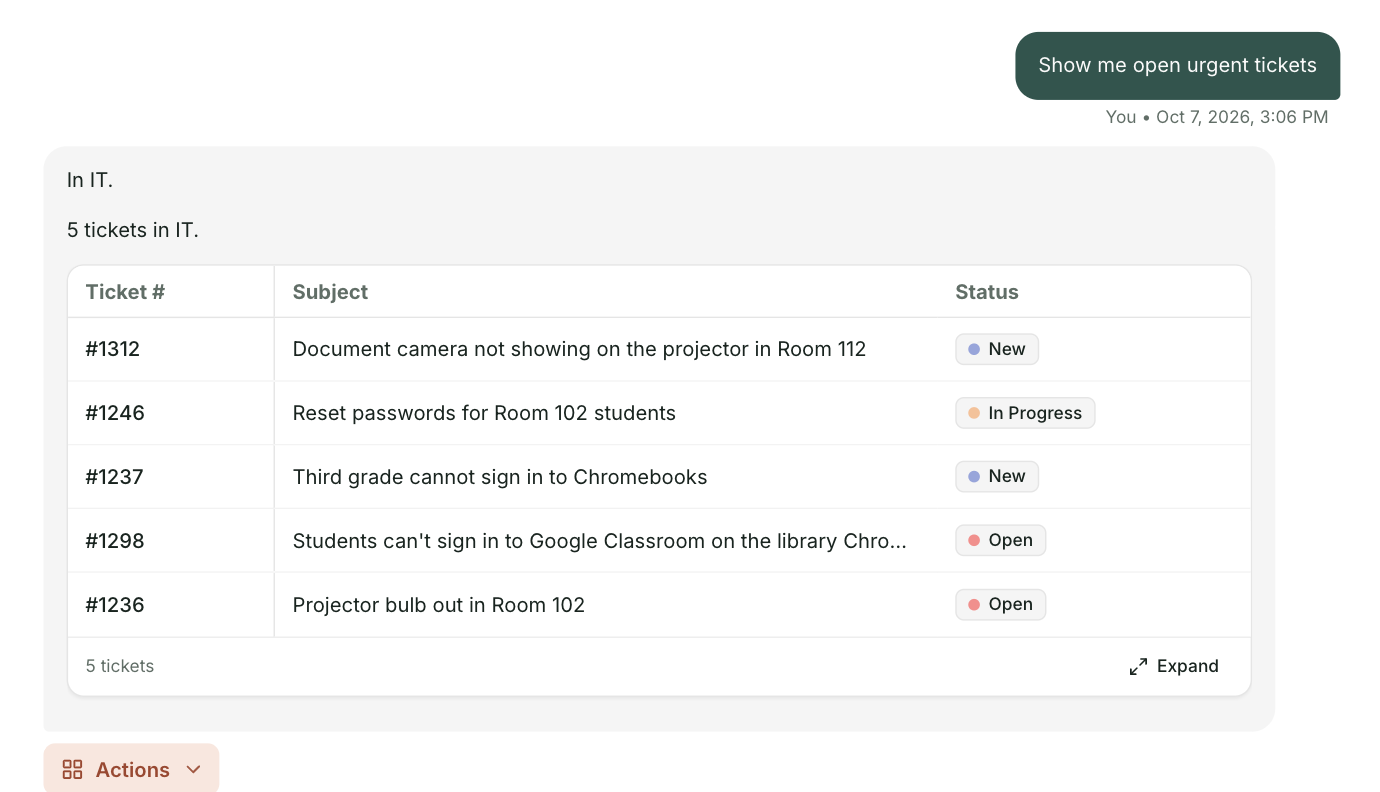
Otto answering a request for open urgent tickets with five tickets and their status
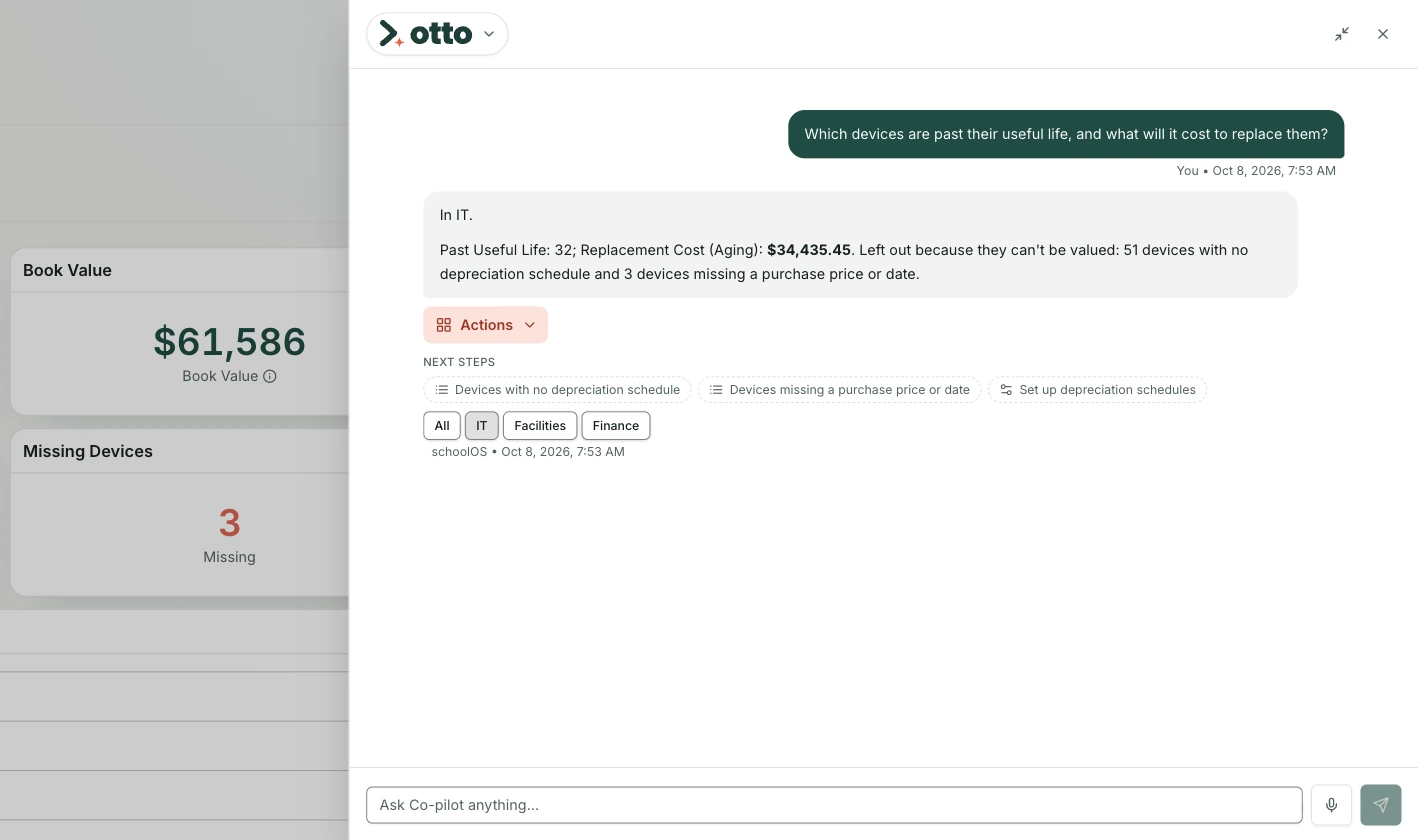
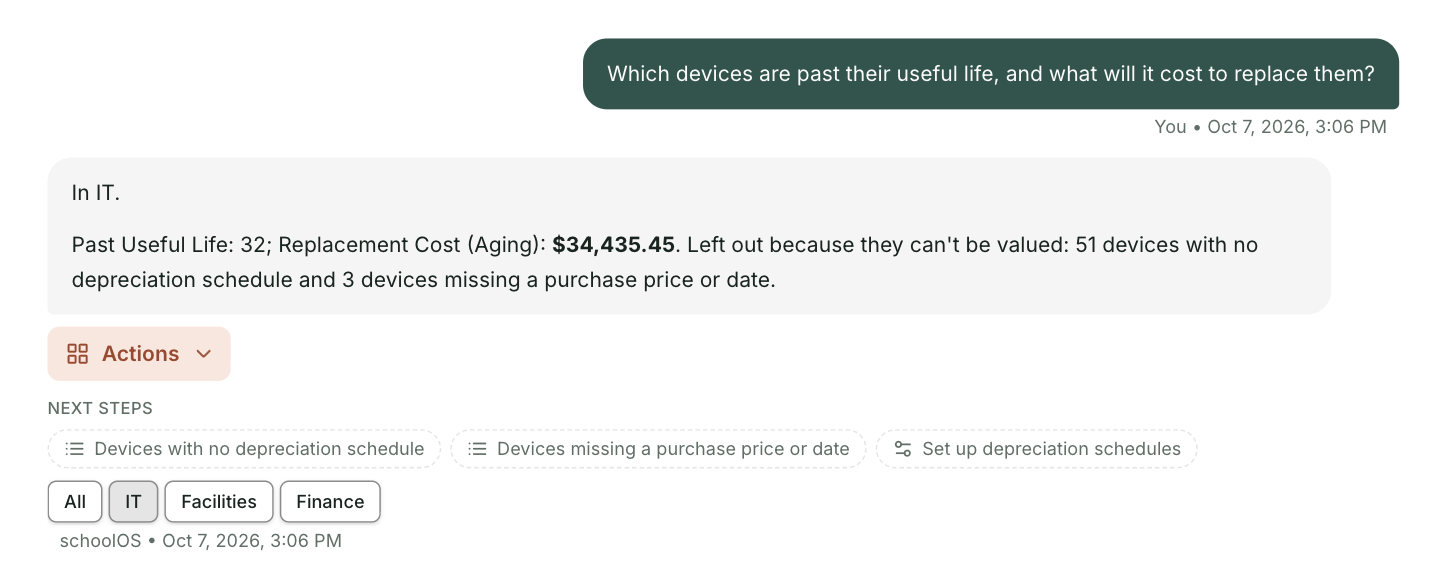
Otto answering what it will cost to replace devices past their useful life, with the count, the cost, and the devices it left out
Planning

Walk Into Budget Season With the Number

Get the cost to replace your aging devices. otto gives you the count, the cost, and the devices it left out, so you know what the number covers.

Automations

Build Your Cross Platform Automations With otto

Type /workflow and say what you want, like notifying the requester every time a ticket is solved. otto drafts the trigger and the steps. You review the draft, then save it.
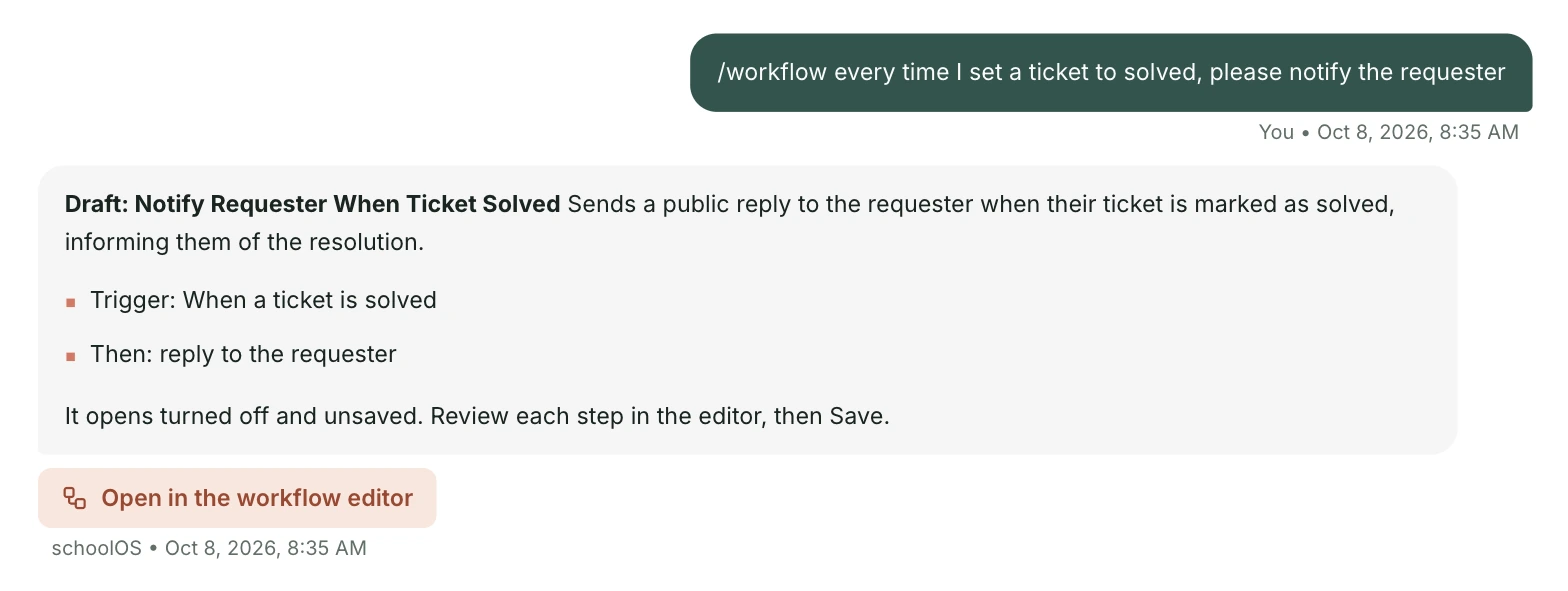
otto turning the request to notify the requester every time a ticket is solved into a draft workflow with a trigger and a step
Reports

Build Your Reports and Dashboards Using Natural Language

Tell otto the breakdown you want, like ticket priorities by team. Open the result in the report builder as a chart, then save it or export it.
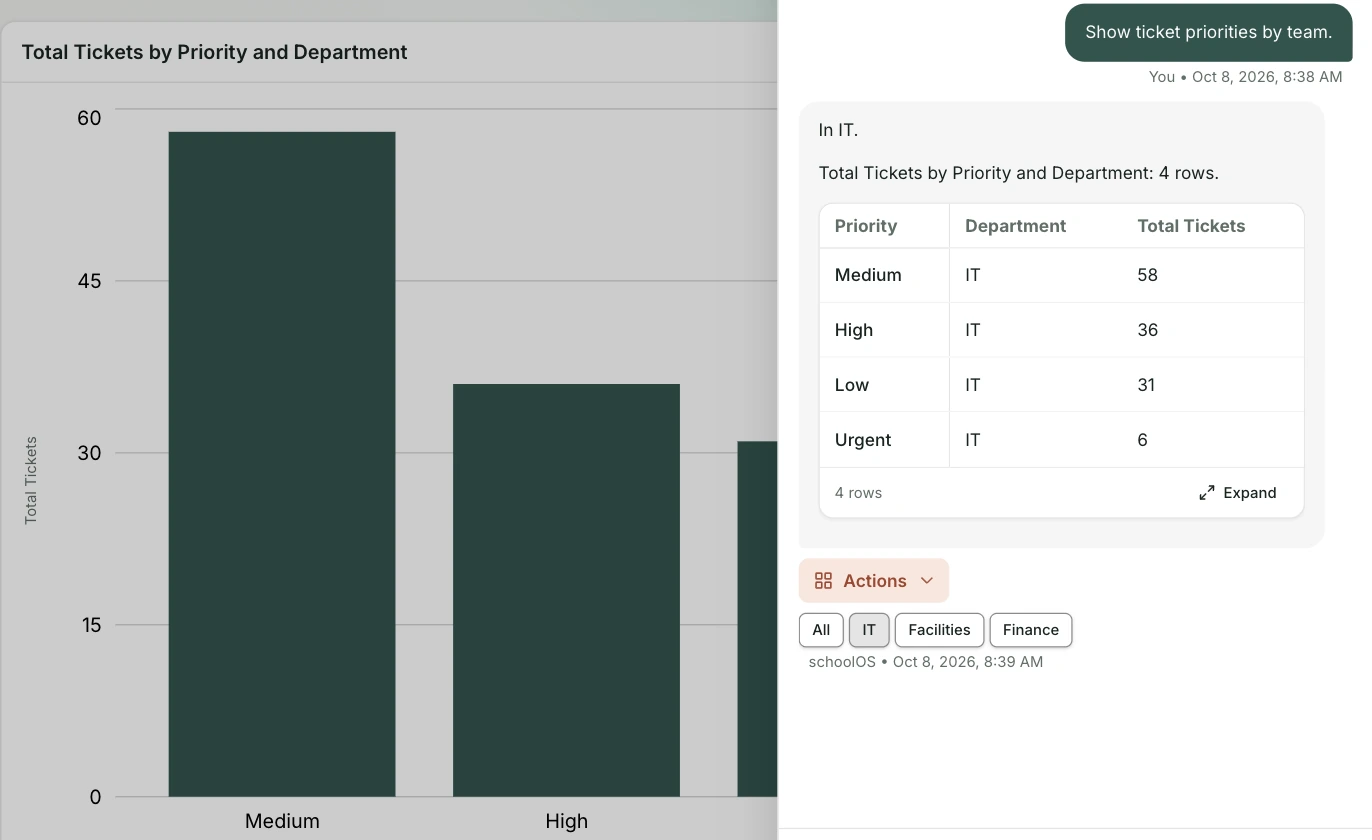
otto answering a question about ticket priorities by team, with the same answer open as a bar chart in the schoolOS report builder
Diagram of district support requests from multiple channels converging on schoolOS as one front door
What you get

What otto Does for Your Team

You type it. otto does it.

Chat bubble icon

Plain Language

Type what you need the way you would tell a colleague.

Sparkle AI icon

Suggested Next Steps

otto opens with what needs attention, like urgent tickets and overdue tasks.

Checkmark icon

Shows Its Work

otto tells you what it counted and what it left out.

Building icon

Every Department

Switch a result between IT, facilities, and finance.

Diagram of district support requests from multiple channels converging on schoolOS as one front door

otto · AI Co-Pilot

See otto in Action

Bring a request you get every month. We will show you how otto handles it.

Book a demo

Otto answering which devices are out for repair with a list of ten devices and their status