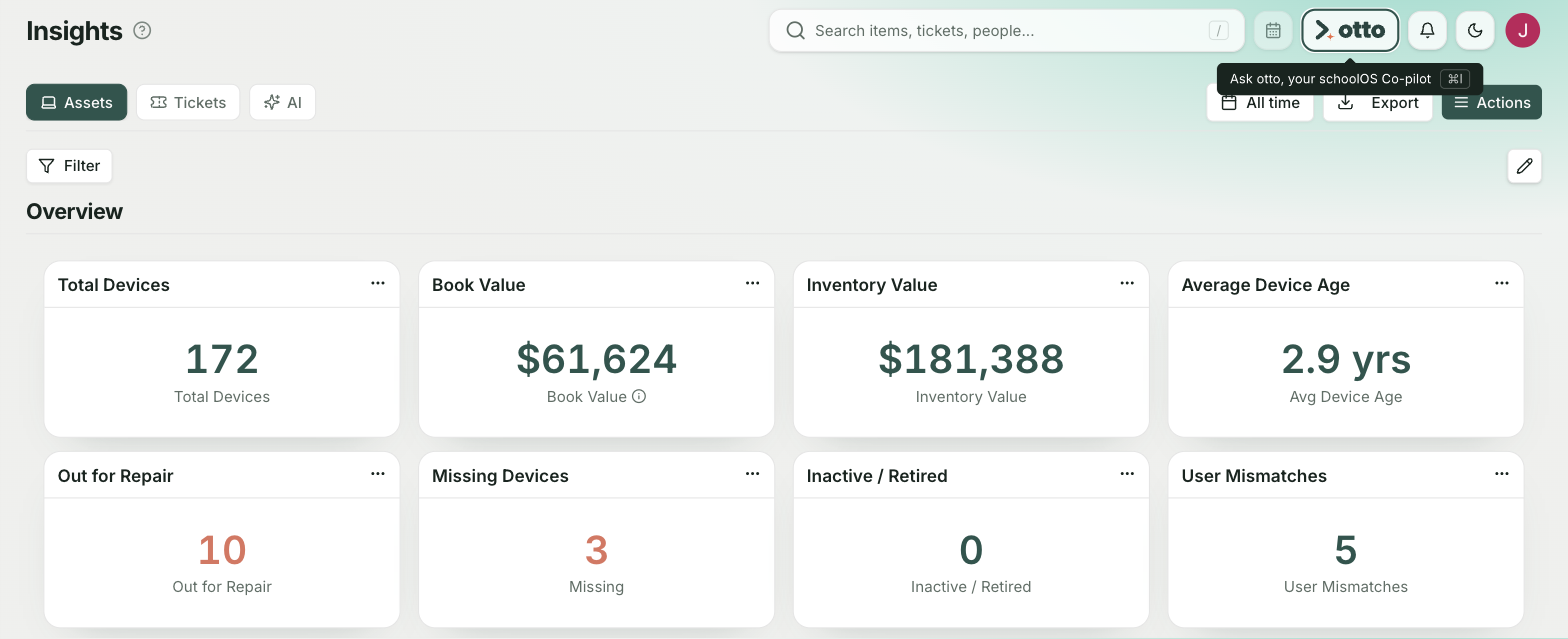

Tom Walker is bringing device records together in schoolAssets, starting with the district’s Chromebooks.
In Metropolis, Illinois, the home of Massac Unit School District #1 and the official hometown of Superman, Tom Walker is the 1 in an official district technology team of 1.2 people. The 0.2 is his wife, Danielle, who teaches computer classes four days a week and helps with technology on the fifth. Another computer teacher and the high school librarian and media specialist also pitch in. Between them, they support seven schools, roughly 1,800 students, and more than 2,000 devices.
As the district’s Director of Technology, Tom knew some old Chromebooks were still listed in inventory. Some hadn’t been turned on in a long time. Others were past the point of receiving updates. He could see them in Google Admin Console, and reviewing them had been in the back of his mind. Then he began bringing the district’s Chrome devices into schoolAssets, and those records were suddenly front and center.
After 20 years in his role, Tom knew where to look. But getting to the answer could take a few steps. Before schoolOS, most device information was in spreadsheets, though some records still lived on paper.
Take a Chromebook and how much it cost or which grant paid for it. If Tom had the asset tag, he knew which spreadsheet to open. If he only had the serial number, he started in Google Admin Console, then worked his way back to the spreadsheet. It wasn’t hard, he explains, but it wasn’t efficient either.
“Was finding the answer difficult? No. Was it tedious and time consuming? Yes.”
Tom Walker
Furthermore, the answer matters. Tom says Massac uses Title I funds for many device purchases and draws on Title V to help buy devices for two smaller elementary schools that don’t receive Title I funding. When audit questions come up, he may need to account for what happened to a device bought with grant funds.
Meanwhile, the next round of purchases is never far away. Massac typically replaces devices for one or two grades each year. Tom says comparable Chromebooks that used to cost the district $250 to $300 now run close to $500. At those prices, it matters whether a device is still in use, sitting in a repair pile, or ready to retire.
Tom knew his spreadsheets could work better. He also knew with limited time and seven schools to support, a new system had to be worth the effort.
What got his attention in conversations with schoolOS wasn’t just how problems could be solved today, but where things could go. He could start by bringing his device records together in schoolAssets, then build on that work with schoolHelpdesk for support requests and ticket management, then add schoolAgent to make district information easier to find.
“Every time I talk to the team at schoolOS, they’re always two steps ahead. There’s a vision for more, and that’s paramount to me when selecting vendors.”

Most of Massac’s Chromebooks are now in schoolAssets, with Google Admin Console supplying device information. Tom is working with schoolOS on bringing roster information over, which would let him start connecting device records to students. He also wants to add Promethean panels to schoolAssets soon.
For now, Tom is the only person using the system. But by the end of the school year, he plans to get Danielle and the others involved so all device information is being recorded in schoolAssets. He’ll roll out schoolHelpdesk next, followed by schoolAgent.
Bring device records together
Manage support requests
Make district information easier to find
When asked what more efficient asset management can free up for him, Tom shares that he’s Massac’s McKinney-Vento liaison, supporting students experiencing homelessness. He says this often surprises other technology leaders, but it’s the responsibility he takes most seriously as an educator.
And it’s clear Tom is an educator first. He trained to be a math teacher. In his more than 20 years at Massac, he’s taught classes, taken on district responsibilities, and found himself doing work he hadn’t imagined when he started in technology. He first came to the liaison role through the data. The more he learned about what students were going through, the more that work mattered to him.
When he talks about making his day more efficient, this is a big part of what he has in mind. There’s information he’d like to spend less time chasing, but also students he’d like to spend more time helping.
schoolAssets
Bring your district’s device information together and build a foundation for better asset management.